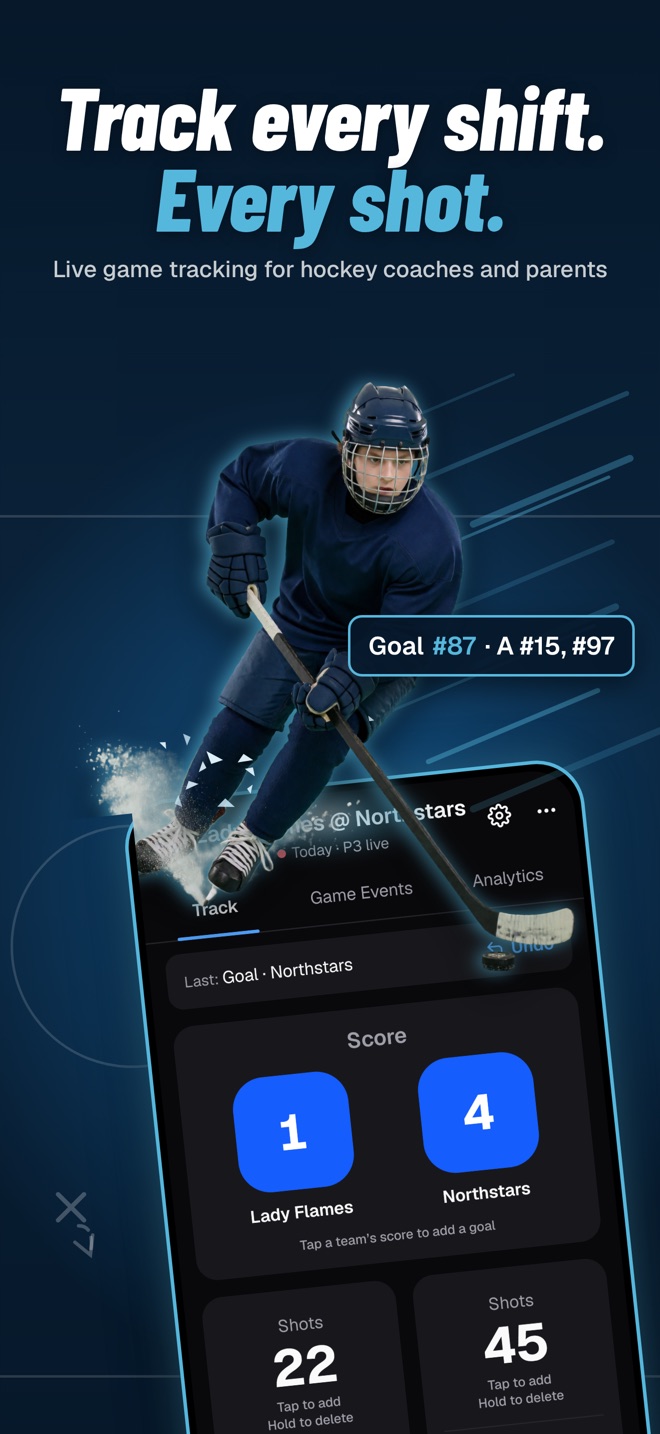
Scout Elite Live 2.0 is out on the App Store and Google Play. We rebuilt it from the ground up, and it’s free.
The old app was a game tracker. The new one is still a game tracker, a faster one that never waits on the rink’s Wi-Fi, but it’s also everything from your Scout Elite account, on your phone, at the rink: the video review from last weekend, Thursday’s practice plan, the breakout you want to show a player between periods.
Here’s what changed, how I use it, and how it stacks up against the other ways coaches and parents track youth hockey games.


What’s new in Scout Elite Live 2.0
- A faster tracker that works with no signal. Every tap saves on your phone first.
- Custom stats you can switch on and off. Track the one thing your team is working on, then retire it.
- Your Scout Elite account at the rink. Video reviews, practice plans, playbooks, drills and reports.
- What your coaches share with you, with a notification when something new arrives.
- Teams and invitations in the app, with your rosters and saved lines.
- iPhone, iPad and Android, with Sign in with Apple, Google, an email code or a password.
- Your old games come with you when you update.
A hockey stat tracker built for cold hands and bad Wi-Fi
Every rink I’ve coached in has the same two problems: the signal dies somewhere between the lobby and the bench, and your fingers stop working by the second period. The tracker is built around both.
It works fully offline. Nothing waits on the network. You can track a whole game in a rink with no signal and lose nothing. If you’re signed in, the game backs up to your account once you’re back online. If you’re not, it stays on the phone until you are.
No account needed. Download it, tap Track a game, and go. A free account is only for backing games up and opening your Scout Elite content.
A goal takes three taps. Tap the team’s score, pick the scorer, the assists and who was on the ice. Your saved lines add a whole line in one tap, and lines carry over from each team’s last game, so the second game of a weekend is faster than the first.
Both teams, not just yours. Shots, scoring chances, faceoffs, penalties, turnovers and zone entries for each side. Plus-minus falls out of the on-ice picks for every goal, so you never track it separately.
Mistakes are cheap. Undo removes the last entry. The Game Events tab lets you fix any event, or its time, after the fact.
You can leave mid-game. The game keeps running in a bar at the bottom of the app, so you can check the practice plan or a playbook and jump straight back in.
Custom stats: track one thing, on purpose, for a few weeks
This is the feature I’m happiest about, because it’s how I actually think tracking should work.
I’ve written before that most youth hockey stat tracking isn’t worth the hours. A season-long spreadsheet of goals and assists mostly ranks kids. The tracking that changed my teams was narrow and temporary: pick the one behavior you’re working on, count only that, show the players the number, and stop counting once the behavior changes. The best example I have is shot locations for goals against. One season of it showed about 80 percent coming from a small area right in front of our net, and once the kids saw that, net-front defense fixed itself.
That’s not just a coaching hunch. There’s solid research behind each part of it.
Counting a behavior and showing it changes the behavior. The best-known hockey example is a study of a university team that wanted more body checking. The captains posted each player’s hit rate in the locker room after every home weekend, then added personal goals, then praise tied to the numbers. Hitting went up as soon as the posting started.1 The same pattern shows up in other team sports: posting practice performance with goals and quick feedback improved specific skills in high school soccer players2 and in college football players, where the gains carried over into games.3
Monitoring works better when it’s written down and shared. A meta-analysis of 138 experiments found that monitoring progress toward a goal improved the odds of reaching it, and the effect was larger when the progress was physically recorded and reported or made public.4 A tally in an app that you show the team at the next practice is exactly that.
Keep it about the task, not the kid. The largest review of feedback research found feedback helps on average, but more than a third of the time it made performance worse, and the more feedback pulled attention toward the person and away from the task, the less it helped.5 “We had 14 blocked shots as a team” teaches. A ranking of who blocked the fewest doesn’t.
Retire the stat before it turns into the goal. Goodhart’s law, in its best-known form: “When a measure becomes a target, it ceases to be a good measure.”6 Leave a stat up long enough and kids start chasing the number instead of the habit. Turning it off is part of the method.
Scout Elite Live is built around that loop. Open Settings → Event types → Add custom type, and you can:
- Name it (Blocked Shot, Puck Battle Won, Stick on Puck, D-to-D Pass) with a short label for the button.
- Track it per team or for the game as a whole.
- Add fields if you want detail: a player number, a text note, or a list of choices (Left, Right, Slot).
- Choose what a tap does: add it instantly, or open a quick form. Add-instantly with a player field gives you a few seconds to tag the number, or you can skip it.
- Show it in Analytics, so it appears with the rest of the game report.
- Hide it when you’re done. Switch it off the tracker; the games you already tracked keep it. The built-in buttons work the same way, so you can clear off anything you don’t use.
My routine: one custom stat at a time, tied to whatever we’re teaching that month. Two or three weekends of counting, show the team the trend, and switch it off once it stops moving.
After the buzzer: numbers before the ice is cleaned
When the game ends, the Analytics tab already has:
- A game report by period: score, shots, scoring chances, faceoffs, penalties and turnovers.
- A scoring report with everyone on the ice for every goal.
- Player stats for both teams: goals, assists, plus-minus and faceoffs.
Publish the game and it’s on scout-elite.com too, with charts of events over game time that show momentum swings and pressure periods. That’s where tracking stops being a stat sheet and starts saving you time:
- Clips without scrubbing. Every event you tracked has a time, so you can import a game’s events into a clip project and get clips at the moments they happened. (Video upload and clip projects are on the Solo plan.)
- AI game reports with the stats already in. Pick the Live game as a source when you create a game report, describe the game in a few sentences, and the AI drafts the report with the numbers included. It learns your team over the season, so the reports get sharper as you go.
A good split for a youth team: a parent or assistant tracks the game in the app and shares it (sharing is part of the Pro plan), and the coach has the stats, the clips and a draft report waiting without having touched a clipboard.
Your whole Scout Elite account, at the rink
Sign in with the same account you use on scout-elite.com and the app opens everything you have there:
- Video: reviews and clip playlists. Turn the phone sideways for full screen.
- Library: practice plans with drill diagrams and times, playbooks, drills, scouting reports and game reports.
- Teams: accept invitations and keep your rosters with you.
- Notifications: a ping when a coach shares a review, plan or report with you.
Creating and editing still happens on the website, where there’s room for it. The app is for tracking games and for using everything else where the hockey actually happens.
How Scout Elite Live compares to other ways of tracking youth hockey
Most coaches and parents I talk to track games one of four ways. Here’s how they compare on the things that matter at a youth rink.
| Scout Elite Live | Paper or a spreadsheet | Single-purpose stat apps | Team-management apps with live scoring | Paid video breakdown services | |
|---|---|---|---|---|---|
| Cost | Free app | Free | Free to a few dollars, some subscriptions | Part of the team app’s plan | Add-on to a team plan, usually quoted per team7 |
| Works with no signal | ✓ | ✓ | Varies by app | Varies | Not live: you upload film after the game |
| No account needed to start | ✓ | ✓ | Varies | Team account required | Team account required |
| Stats ready when the game ends | ✓ | After you add it all up | ✓ | ✓ | After the breakdown (Hudl quotes under 24 hours)7 |
| Both teams’ stats | ✓ | If you have a second pencil | Varies | Usually your team | Varies |
| Your own custom stats | ✓ Turn on, retire, keep history | ✓ But slow | Varies | Rarely | Their stat list |
| Events link to video | ✓ With uploaded video (Solo) | ✗ | Rarely | ✗ | ✓ |
| Becomes a written game report | ✓ AI draft with the stats in | ✗ | ✗ | ✗ | Stat reports |
| Practice plans and playbooks in the same app | ✓ | ✗ | ✗ | Not the focus | Not the focus |
A few honest notes on that table:
- Already paying for Hudl? Compare before you renew. A human-tagged breakdown gets you numbers after you upload film, not on the bench, and it’s an add-on to a team plan that Hudl quotes per team. Scout Elite covers live tracking, clips, AI game reports, practice plans and playbooks in one place, from free up to $12.99 a month. The side-by-side is in Scout Elite vs HUDL.
- Team-management apps are great at schedules, availability and messaging, and live scoring is a nice extra for families following along. They aren’t built to help you develop players from what happened in the game.
- Single-purpose stat apps vary a lot, and some are good trackers. Where they stop is the end of the game: the numbers sit in the app, disconnected from your video, your reports and your practice plans.
- Paper still works. If a notebook and a pencil get you to an honest picture of the game, use them. The point is the picture, not the tool.
Where Scout Elite Live is different is what happens after you track: the same game feeds your clips, your game report and next week’s practice, and all of it is in your pocket at the next game.
Frequently asked questions
Is Scout Elite Live free? Yes. The app is free to download and use, and you don’t need an account to track a game. A free Scout Elite account backs your games up. Some features on the website, like uploading game video, need a Scout Elite plan.
Does it work without a signal at the rink? Yes. Everything saves on your phone as you go. If you’re signed in, the game backs up when you’re online again.
Can I track my own stats? Yes. Settings → Event types → Add custom type. Name it, choose per team or per game, add optional fields, and turn it off when you’re done. Games you already tracked keep it.
Which devices does it run on? iPhone, iPad and Android phones and tablets.
Will I lose games from the old app? No. Games from the previous version come with you when you update.
Can a parent track and share with the coach? Anyone can track a game for free, and a free account backs it up. Sharing a published game with the coach or the team from scout-elite.com is part of the Pro plan.
Try it this weekend
Download Scout Elite Live, tap Try an example game to get a feel for it, then track your next one. Pick one custom stat while you’re at it: the thing you most want your team to do more of. Count it for three weekends and see what happens when the kids see the number.
Want the clips, AI reports and practice plans that your tracked games feed into? Start on the web, no signup needed to look around.
References
-
D. C. Anderson, C. R. Crowell, M. Doman and G. S. Howard, “Performance posting, goal setting, and activity-contingent praise as applied to a university hockey team,” Journal of Applied Psychology 73(1), 87–95, 1988. ↩
-
Brandilea Brobst and Phillip Ward, “Effects of public posting, goal setting, and oral feedback on the skills of female soccer players,” Journal of Applied Behavior Analysis 35(3), 247–257, 2002. ↩
-
Stephanie A. Smith and Phillip Ward, “Behavioral interventions to improve performance in collegiate football,” Journal of Applied Behavior Analysis 39(3), 385–391, 2006. ↩
-
Benjamin Harkin et al., “Does monitoring goal progress promote goal attainment? A meta-analysis of the experimental evidence,” Psychological Bulletin 142(2), 198–229, 2016. ↩
-
Avraham N. Kluger and Angelo DeNisi, “The effects of feedback interventions on performance: A historical review, a meta-analysis, and a preliminary feedback intervention theory,” Psychological Bulletin 119(2), 254–284, 1996. ↩
-
Marilyn Strathern, “‘Improving ratings’: audit in the British University system,” European Review 5(3), 305–321, 1997, restating Charles Goodhart’s 1975 observation. ↩
-
Hudl, “Ice hockey plans and pricing” and “Ice hockey solutions,” accessed October 2026. ↩ ↩2