Build a playbook your players and parents will actually use.
Scout Elite Playbooks combine sport-specific diagrams, embedded video, and rich text into a single living document. Build it once, share it with the team, update it whenever your system evolves.
Free tier: 1 playbook, 3 sections. Unlimited on Solo ($4.99/mo).
A whiteboard photo isn’t a system.
Most youth teams "have a playbook" that exists as a few iPhone photos in a group chat from October. By February nobody remembers what the arrows meant.
Photos lose context
A diagram alone doesn’t explain the read. Without a coach next to it, players forget half the message.
PDFs feel dead
Static documents can’t show a real-game clip of the system working — the thing that actually makes it click.
Updates get lost
When you tweak the breakout in November, the photo from October is still the one in the group chat.
Three block types. One continuous document.
Playbooks read like a Google Doc, but with the right tools built in for actually teaching hockey systems.
Sport-specific diagrams
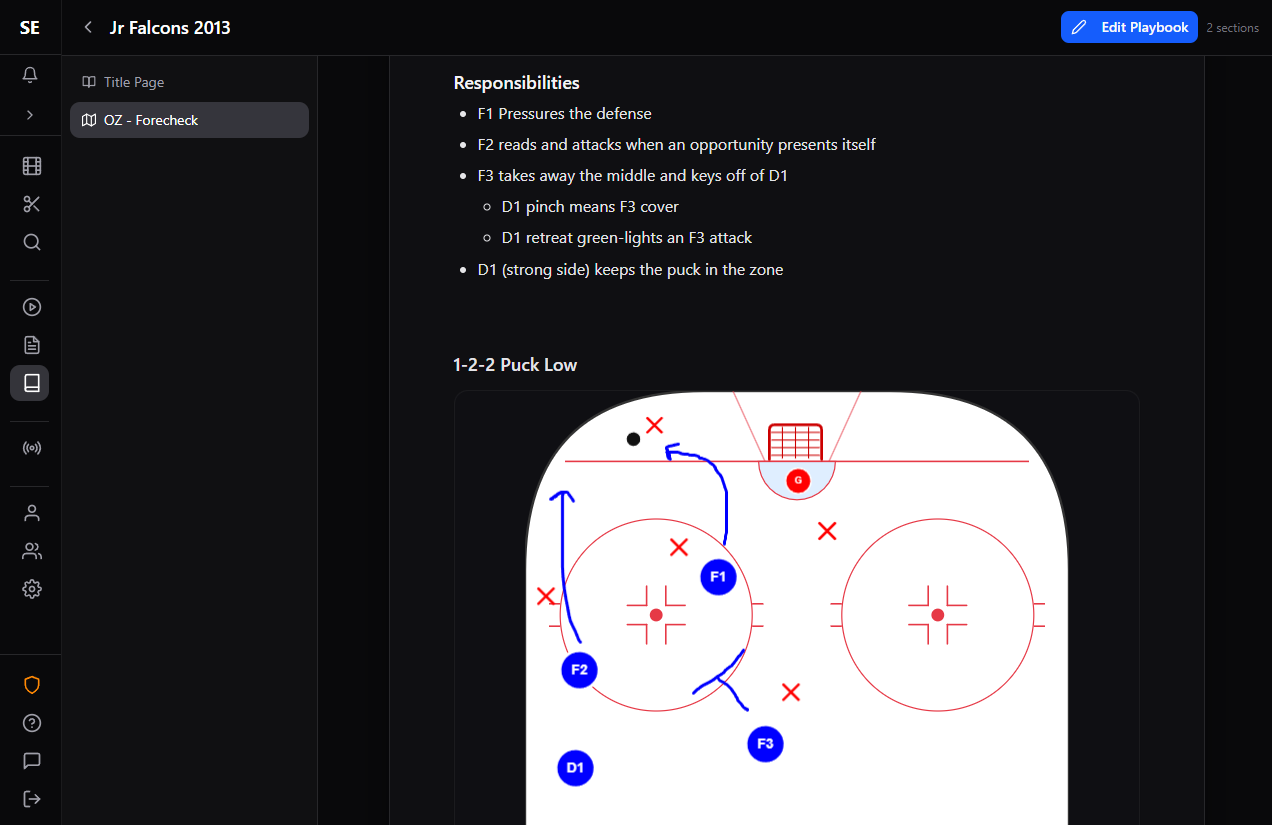
A real rink canvas with players, pucks, lines, arrows, shapes, and freehand drawing. Snap pieces into place, then expand to fullscreen for detail work.
Embedded video clips
Drop in a YouTube link or a clip from your Scout Elite video library. Show players a real-game example of the system in action, right next to the diagram explaining it.
Rich text
Markdown-style editor for coaching points, reads, common mistakes, and personnel notes. Every block also takes a title and caption, so it reads cleanly in the published view.
How it works
Build it in sections
Each section is a continuous sequence of blocks — text, diagram, video, in any order. Hover between blocks to insert a new one. Drafts auto-save as you work.
Publish when ready
Playbooks default to Draft so you can iterate privately. Hit Publish when it’s ready for the team to see — the shared view stays on the published revision, not your in-progress edits.
Share with the team Pro
One click to share with individual players, parents, or your full team. They see a clean, document-style read-only view — no editing access required.
Revise without losing history
Automatic checkpoints and manual save points let you tweak the breakout in November without losing what worked in October. View or revert to any past revision.
What coaches actually use them for
D-zone coverage, forecheck variants, neutral-zone regroups — documented with the diagram, the coaching points, and a real clip of it working.
Power play entries, breakouts, and forecheck. Different sections per opponent type, all in the same playbook.
Before a big game, pull together the other team’s tendencies — with clips — so your players walk in knowing what to expect.
One reusable playbook your players can come back to all season: stance, edge work, passing reads. Update it when their level changes.
Try the editor before you commit.
The Try Scout Elite flow drops you into a working playbook in your browser. Move the players around, add a clip, see how it feels.
No signup. No credit card. Loads a real playbook in your browser in under a minute.
What else is in Scout Elite
Draft a timed practice from a drill library with diagrams.
AI Reports →Chat your way to a game breakdown or player plan.
Scout Elite Live →Tag events on your phone, auto-clip the game video.
Video & Reviews →Upload footage, clip key moments, share focused team reviews.
Teams & Sharing →Invite your roster, share everything with one click.