Everyone's at the same rink. Pick your spot.
Scout Elite looks different depending on where you stand on game day. Find yourself, then read what a normal week looks like.
A week behind the bench
You coach because you love the game. The job, though, is film, reports, plans, and messages, and it all lands on weeknights. Here's the same week with Scout Elite.
after the game
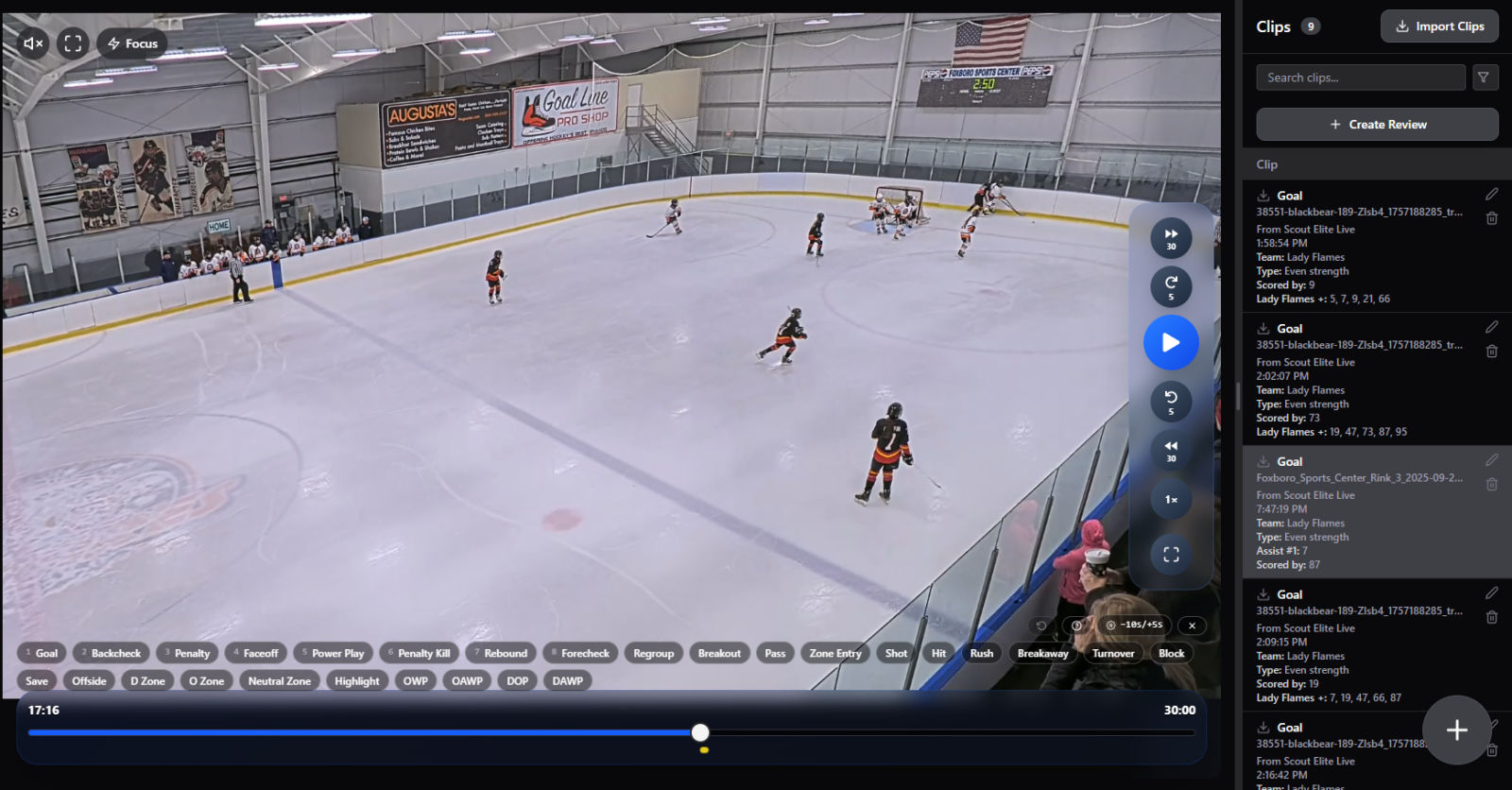
A parent filmed from the stands, same as always. Your assistant ran Scout Elite Live on their phone and tapped moments as they happened: the blown coverage on their second goal, the breakout that finally clicked in the third. Every tap is already attached to the game clock.
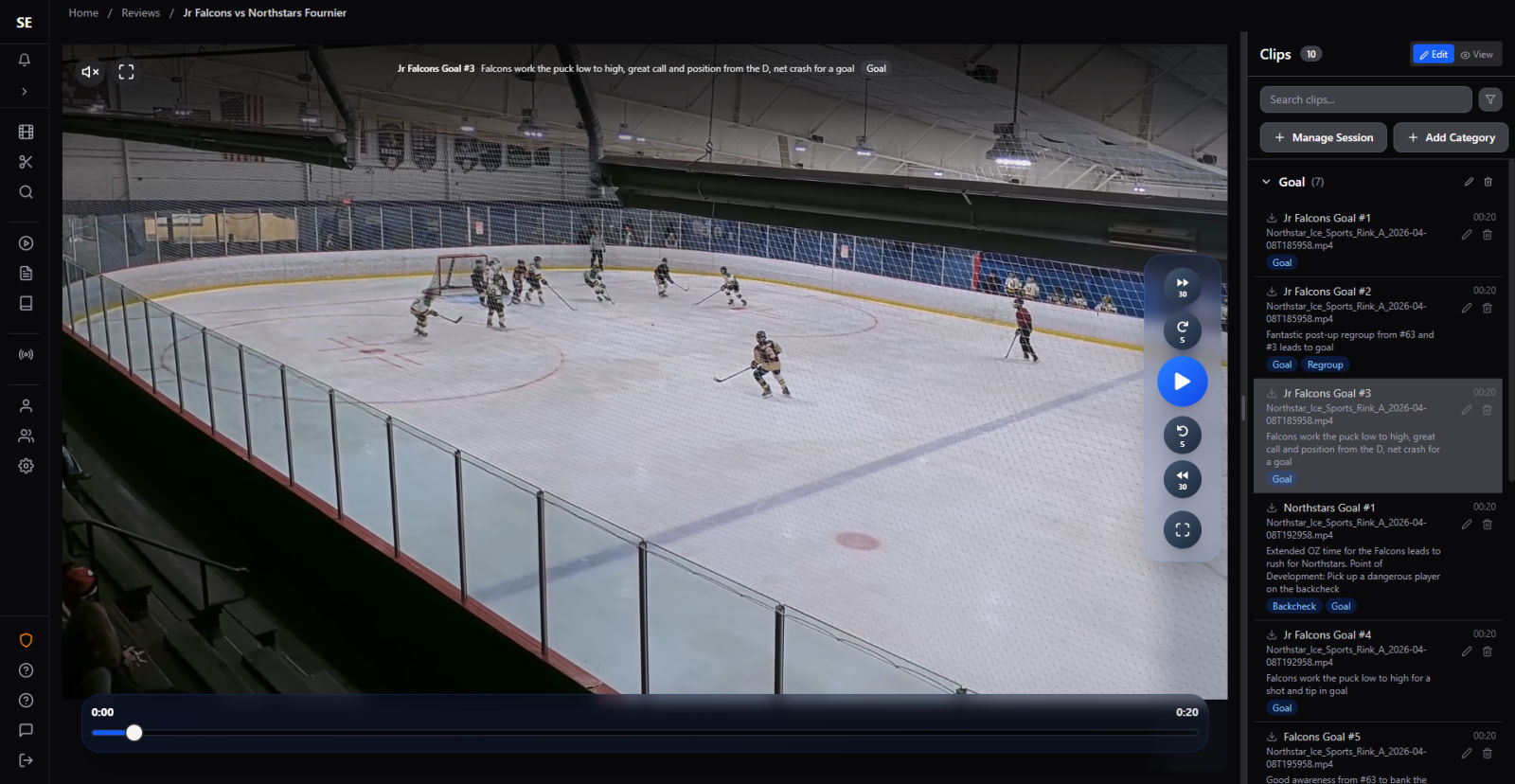
Upload the video and import the tagged events. Clips create themselves at the right moments. You skim them on the couch, trim a couple, and draw an arrow on the play where words won't cut it. No help at the rink that day? Mark moments yourself as you watch, or let AI clip detection find the plays.
Build the Review. Defensemen get the defensive-zone clips, forwards get the forecheck, everyone gets the goals. Share it and the team watches on their phones before Monday's skate. Nobody sits through forty minutes of full game.
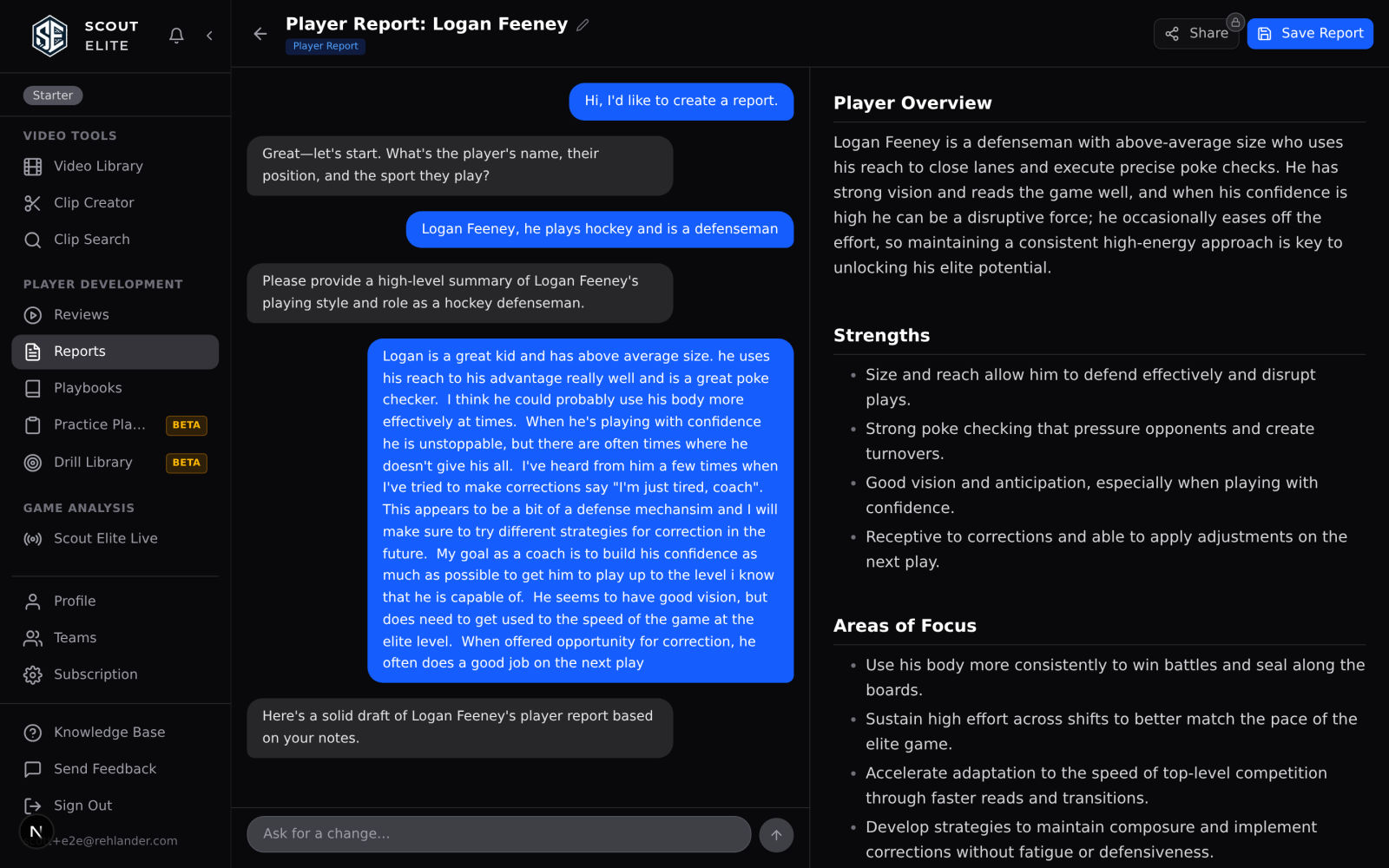
Ask the AI for the game report. You tell it the score and what you saw, it drafts a clean writeup while you chat, and you fix anything in plain English. Parents actually read these.
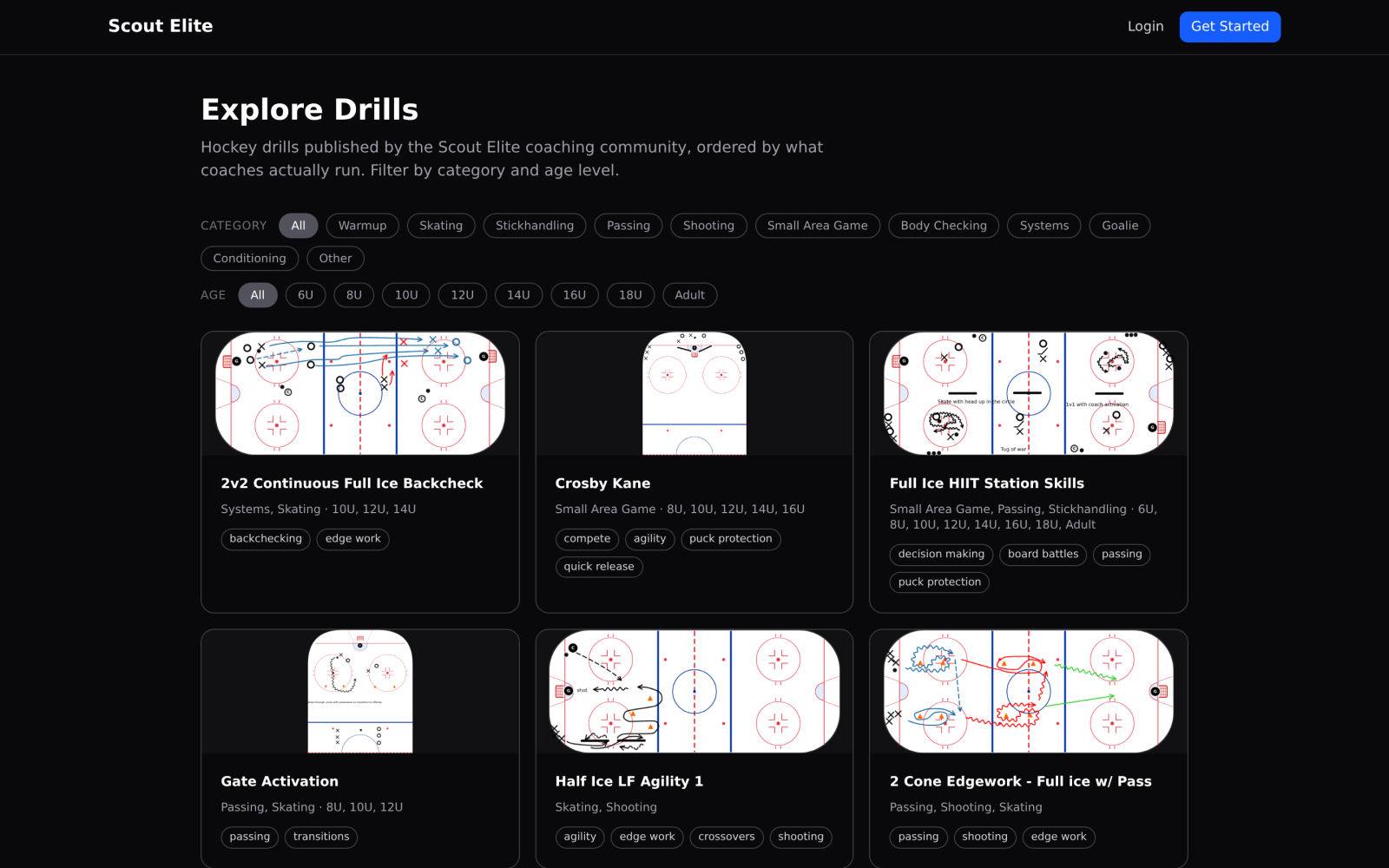
Practice time. The practice assistant has read your reports and your tagged clips, so it already knows the breakout keeps dying on the wall. It drafts a timed session that attacks it, with real rink diagrams, and skips the drills you just ran last week. Print the sheet for the bench.
Your systems live in a Playbook: diagrams, real clips from your own games, and notes on one page. Tweak the forecheck in October and the whole team sees the update. No new whiteboard photo in the group chat.
Every family's data, finally organized.
Some weeks you're on the ice, some weeks it's all remote. Either way your product is progress the athlete can feel and the parent can see, and Scout Elite is where all of it lives.
A client's parent shares weekend game footage with you, or sends files you drop into your video library. You clip the shifts that matter for what you're teaching and tag them by skill, so every clip is findable next month, not just this week.
Build the athlete's Review from anywhere: frame by frame, telestration arrows over the exact edge work you mean, your notes on every clip. Share the link and they watch it with their parents that night. They see it instead of just hearing it.
Rink-side or on a call, you teach straight from the clips. And the Review stays up after the session ends, so the lesson keeps working between visits.
Ask the AI for a player report while it's fresh: what you worked on, what to do before next time. Reports build a season-long history of each athlete that parents can look back through, which is exactly the progress they're paying you to show.
Your library compounds. Clips, drills, reviews, and reports stay organized in one system and reusable for the next athlete with the same problem. Scout Elite becomes your knowledgebase, and the way your teaching reaches every client.
A season from the stands
Your camera roll tells the story: random short clips of your kid being brilliant, and a few of the moments that drove you crazy. Scout Elite gives all of it somewhere to go.
You come home with a handful of new clips, and you know how it goes: the moment you want to show someone, you can never find them. Upload them instead and they're organized by game and tagged by skill, so the clip you want to send their coach is a search, not a scroll. Want to track moments live? The free Scout Elite Live app helps track the moments you'll want to remember.
Drop each clip into a folder: one for the season, one for tryouts, one for each kid if you have a few playing. That's the whole job. No editing, no timeline, nothing to learn. Just a library where the good stuff stays findable for years.
The backbone is the player development report. Tell the AI what you saw and "what should they work on?" gets a real answer: specific things to practice in the driveway, written down, theirs. Keep making them and you have a season-long record of progress, and when a report calls out wall battles, the clips you tagged wall battles are sitting right next to it.
When the coach shares a Review or a report, it lands in the same place, free to view. Set the coach's reports beside your own and you're seeing the same player from the bench and the stands.
All those saved clips become a highlight reel you can compile and share with anyone. A season of evidence, three minutes long.
It learns your team as you go
No extra data entry. The evidence is the work you were already doing.
Reports and tagged clips pile up
Write game reports, tag moments, thumbs-up the drills that worked. That's it. Every one of them is evidence about your team.
Recurring problems get ranked
It pulls the patterns out of your own reports and clips and ranks them by how often they show up, how recently, and how much they hurt.
Plans target what's real
The next practice attacks your top priorities with drills you haven't just run. Reports remember your players. Nothing starts from a blank page.
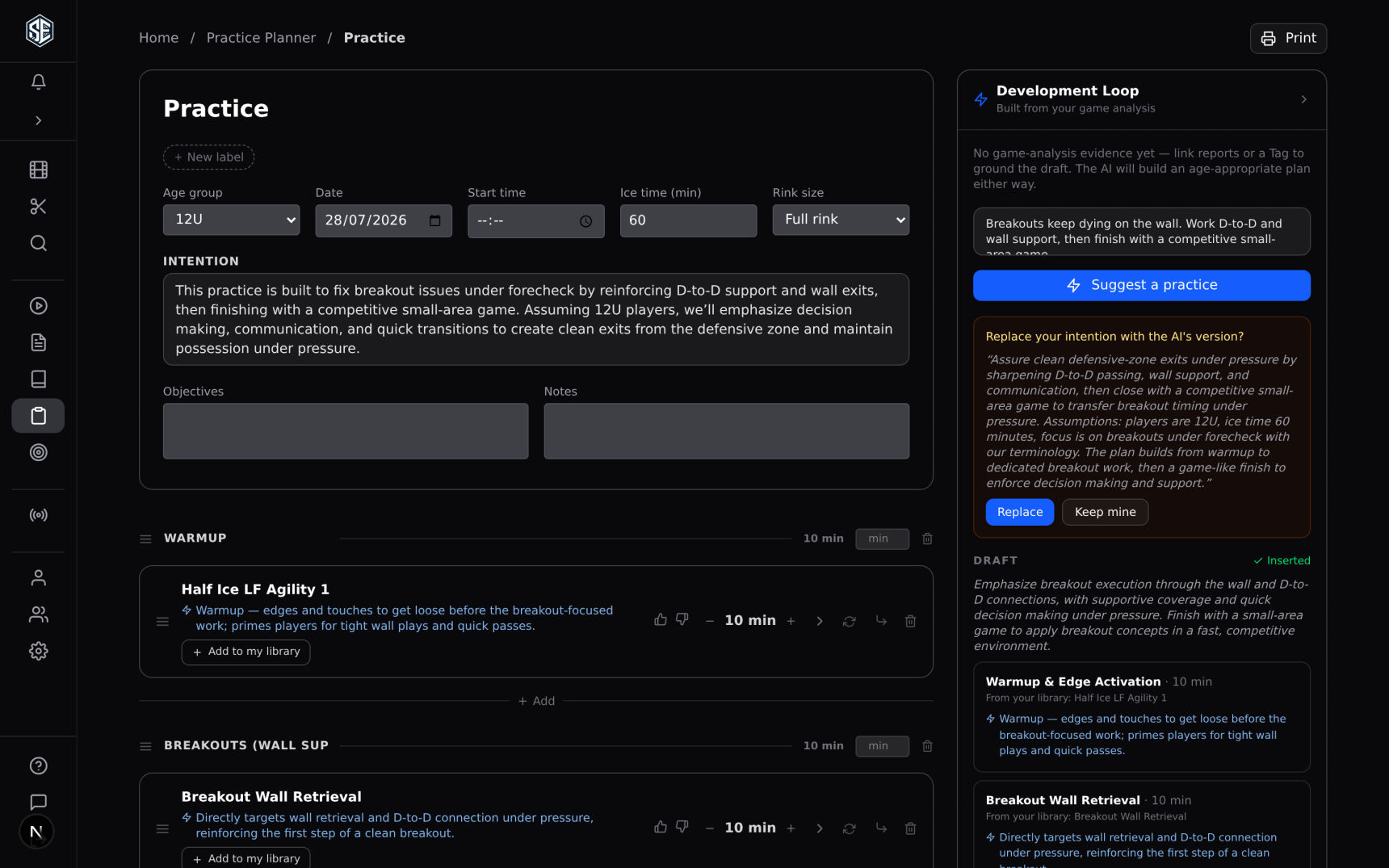
That's the difference between a template and a tool that knows your team: your practices come from your games, not someone else's. Read more about the development loop.
The whole toolbox
Six tools, one place. Start with any of them.
Video, Clips & Reviews
Upload film, mark moments as you watch or import them from the rink, and share short, focused reviews.
Video & Reviews →AI Reports
Game reports and player development plans drafted in a chat, refined in plain English.
AI Reports →Practice Plans & Drills
Timed sessions with real rink diagrams, drafted from your own game data, printable for the bench.
Practice Planning →Playbooks
Diagrams, real game clips, and coaching notes in one living document the whole team can see.
Playbooks →Scout Elite Live
Free mobile app. Tap events at the rink, get stats and a game report, feed clips automatically.
Scout Elite Live →Teams & Sharing
Share to the whole roster in a click. Free for players and parents to view everything.
Teams →Built by parent coaches, for parent coaches
Scout Elite exists because these tools shouldn't be exclusive to programs with video staff and big budgets. Viewing everything shared with you is free, the full creation toolkit starts at $4.99 a month whether you're a coach or a parent, and every paid plan comes with a 14-day free trial.
Try Scout Elite Free → No Signup